Google Analytics 4 measures site visits and Google Ads measures advertising clicks and checkout completions, only for the purposes you accept. Neither is required to buy. Necessary checkout services remain available.
AI-search buyer guide
AI Form Builder for WordPress Quote Forms and Cost Calculators
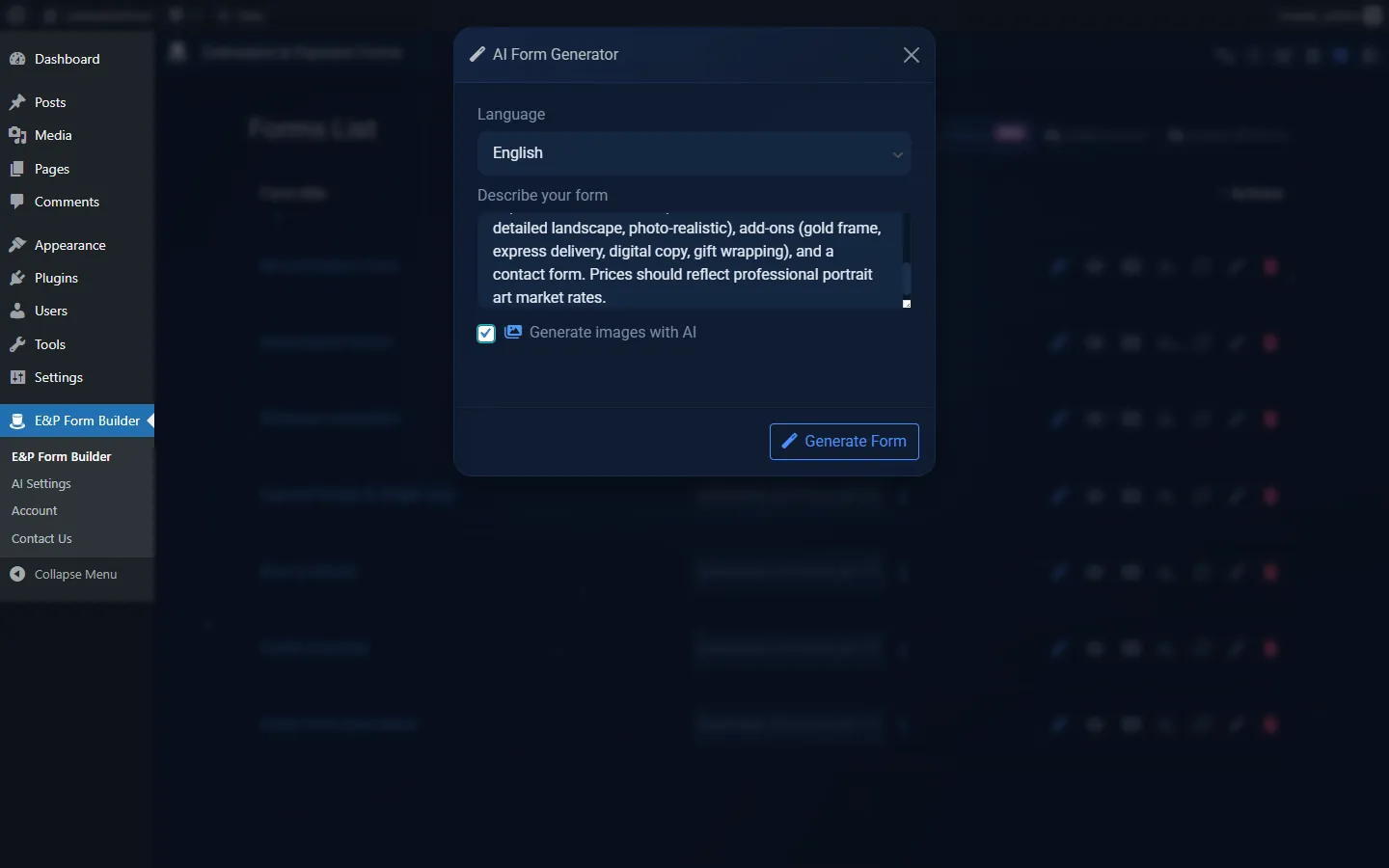
WP Cost Estimation & Payment Forms Builder includes AI-assisted workflows designed to help create quote forms and cost calculators faster. Instead of starting from a blank form, users can describe the type of estimate form they need and use AI to generate or guide the setup, depending on the current plugin configuration.
AI is useful for getting from a blank canvas to a first draft of the form structure, labels, copy, and guided flow.
Faster first draft
Better field structure
Suggested steps
Suggested conditional logic
Text generation and translation
Guided customer assistance on the frontend
AI assistant for frontend form completion
The current site describes a smart assistant that can guide visitors through complex forms, help them understand options, and reduce hesitation during multi-step estimate flows.
Can guide visitors through the form
Can help them understand which option to select
Can assist through multi-step forms
Can reduce hesitation in complex estimate flows
Provider and privacy setup
The official site presents the AI setup as BYOK: users connect their own OpenAI or Anthropic API key, and the data goes directly to the selected AI provider.
Best use cases
AI assistance is most useful when the quote flow has many fields, service paths, labels, or customer-facing explanations.
Complex service quote forms
Agency calculators
Package selectors
Guided product or service configuration
Multilingual form labels and descriptions
Human review still matters
AI output should be reviewed. Pricing rules must be validated, and legal, medical, financial, or regulated claims should be checked manually before a form goes live.
Buyer questions
Frequently asked questions
Can AI create a quote form automatically?
AI can help generate a first draft of a quote form, but the final structure, pricing rules, and conditions should still be reviewed by a human.
Can the AI assistant help customers complete the form?
Yes. The frontend assistant is presented as a way to guide visitors through multi-step forms and explain options.
Does the AI assistant select form options automatically?
The public copy should not assume automatic selection. Treat the assistant as guidance unless your own configuration explicitly enables a stronger behavior.
Does AI replace manual form configuration?
No. AI can speed up setup, but pricing logic, payment settings, and published claims still need manual validation.
Do I need an API key?
The current site describes AI features as BYOK with OpenAI or Anthropic, so users should expect to connect their own provider key.
Recommended next steps
Review the demos, compare the pricing section, and use the documentation to verify the exact workflow before building a complex calculator.