
Loading...

Your privacy choices

Google Analytics 4 measures site visits and Google Ads measures advertising clicks and checkout completions, only for the purposes you accept. Neither is required to buy. Necessary checkout services remain available.

Your privacy choices

Google Analytics 4 measures site visits and Google Ads measures advertising clicks and checkout completions, only for the purposes you accept. Neither is required to buy. Necessary checkout services remain available.

These optional Google services may set audience or advertising cookies after your acceptance. Analytics and advertising are separate choices. Acceptance and refusal are remembered in this browser for a fixed 180 days, without extending the period when read. You can withdraw or change your choices at any time using Privacy choices in the footer. Withdrawal removes optional first-party Google cookies and reloads the page if Google has already loaded (using session storage in this tab if persistent storage refuses the withdrawal; a blank page opens only if both stores cannot safely record the withdrawal and a stale approval remains). Checkout, external demos, videos, support and newsletter services have their own privacy information.

Publish & connect

Connect forms to n8n, Make, Zapier and email lists

Configure form webhooks and contact-list integrations, map named values and test the actual payload received by your workflow.

Updated v10.6.772 min read
On this page
Where to find it

Edit a form → Form settings → Connectors

Before you start

Prepare a test webhook or list in the destination service. Use synthetic contact details and decide which fields the integration actually needs.
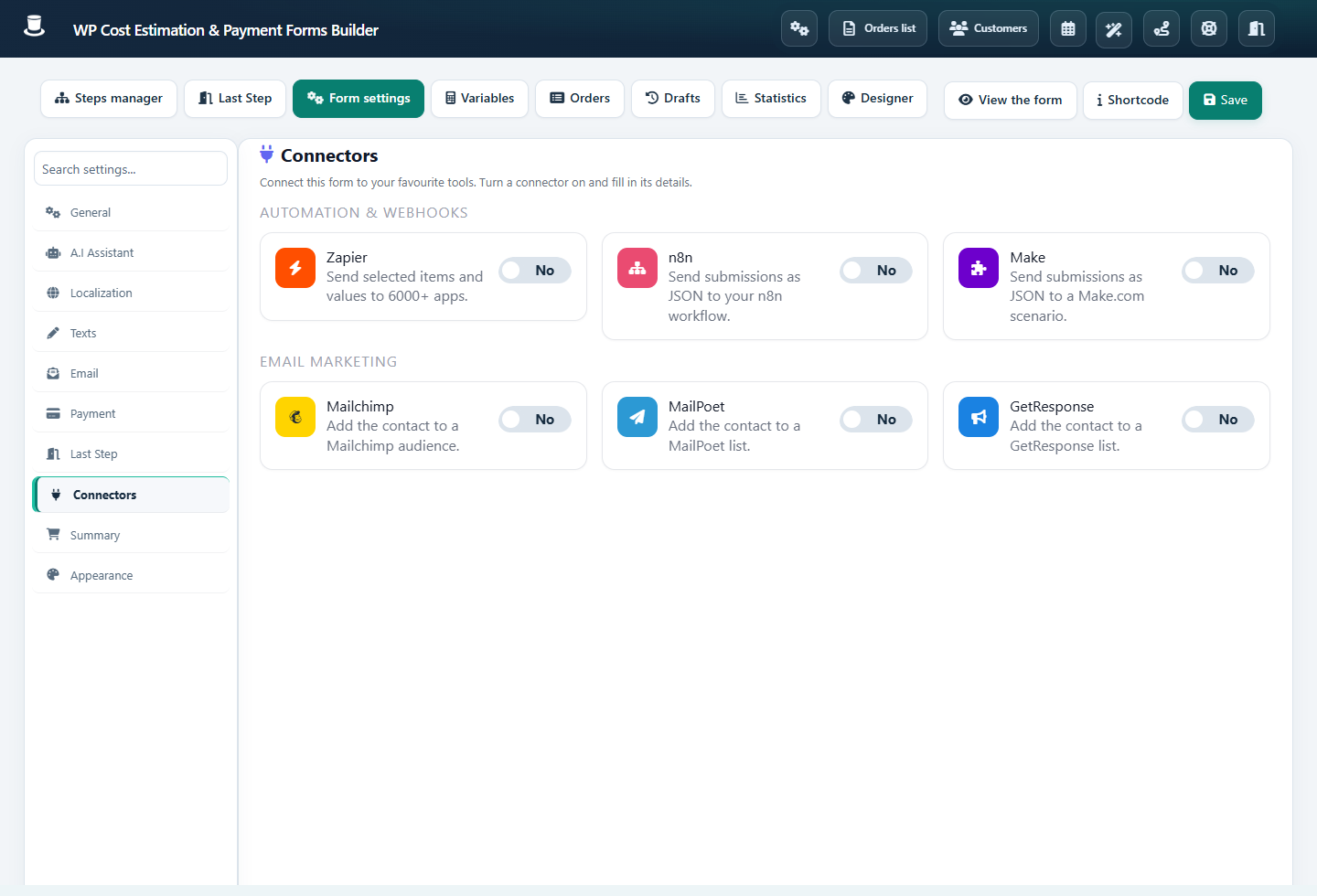
Connector settings for Zapier, n8n, Make and mailing listsOpen full-size screenshot
Enable only the connectors you intend to use, then configure and test their destinations. Screenshots use the English plugin interface; translated labels can differ.

Step-by-step instructions

  1. Open Connectors, enable n8n, Make or Zapier and paste the webhook URL supplied by that service.

  2. Use Test connection to check the endpoint. The n8n and Make connectors send JSON with POST; the Zapier connector uses GET. Keep the URL and its tokens private.

  3. In each relevant component, set Send as variable to a stable, unique name. Submit a full test form while the destination listens, then map the received values.

  4. For Mailchimp, MailPoet or GetResponse, configure the available connector and destination list. Identify email/name fields through Type of information and review opt-in and early-contact-transfer options.

Check the result

Inspect a real received request, not only a connection-test success. Confirm field names, numeric formats, consent behavior and the destination record. Switch test webhook URLs to production endpoints when the workflow is ready.

If it does not work

Check an inactive workflow, expired test URL, HTTP errors or missing Send as variable names. Inspect the destination’s logs. Avoid blindly resending a submission if the receiver may already have created a record.